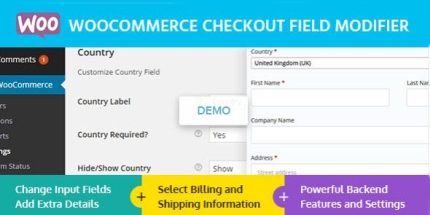
WooCommerce Checkout Field Modifier 1.0.2 – MyThemeShop

The WooCommerce Checkout Field Modifier lets you edit checkout fields to collect exactly what you need. Its main benefit is streamlined data collection and a smoother, more accurate checkout. Plus, easy customization, reliable performance, and seamless integration with your Woocommerce store. Ready to tailor the checkout? Explore the plugin and simplify your process today.
Description
The WooCommerce Checkout Field Modifier is a WordPress plugin designed to help you edit WooCommerce checkout fields so you collect the exact information you need. If your store currently asks for irrelevant data or misses key details, this plugin lets you refine the checkout form without disrupting the overall purchase flow. It’s useful for creating a smoother, more accurate checkout experience for customers.
Built for WooCommerce checkout customization, it integrates with your existing theme and checkout setup on your site, including checkout pages created with Elementor or other WordPress page layouts. You can streamline data collection, reduce form friction, and support cleaner order records for better fulfillment.
Main Features
- Edit checkout fields — Modify existing WooCommerce checkout fields to match what your business requires.
- Customize field labels — Update how fields are named so shoppers understand what to enter.
- Control field input requirements — Adjust which fields are treated as required during checkout.
- Manage field placement — Reorganize how fields appear within the checkout form for clearer UX.
- Streamline customer data — Request only the information that’s relevant to your orders.
- Improve form accuracy — Encourage better-quality inputs by aligning fields with your process.
- Works with your WooCommerce setup — Applies changes directly to the WooCommerce checkout experience.
- Lightweight customization — Keeps your site’s checkout functioning reliably while you tailor fields.
Benefits
- Smoother checkout — Reduces confusion when the form matches what customers actually need to provide.
- Higher conversion potential — Less friction in the checkout process can help more shoppers complete purchases.
- Cleaner order data — Improves the accuracy of the information captured for fulfillment and follow-up.
- Better UX consistency — Aligns field wording and layout with the expectations of your store’s flow.
- More flexible store operations — Tailor required fields to different order needs without rebuilding your checkout.
Who is it suitable for?
- WooCommerce store owners who need to collect more relevant checkout details.
- Brands that want a more user-friendly checkout form with clearer field labels.
- Agencies managing multiple WooCommerce sites with different checkout requirements.
- Online sellers with specific fulfillment inputs (e.g., delivery or customization notes).
- Content and service businesses using WordPress themes or Elementor-based pages that still rely on WooCommerce checkout.