MiniOrange Power BI Embed Reports Enterprise 42.0.0

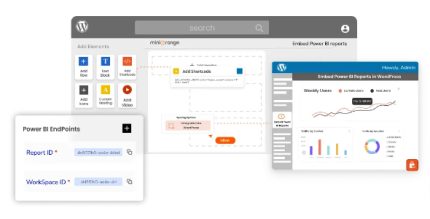
MiniOrange Power BI Embed Reports Enterprise makes it easy to embed interactive dashboards, datasets, and reports from Power BI into WordPress Pages and Posts. This WordPress plugin delivers seamless data-driven insights with row-level security, letting you tailor content by membership or customers, boosting engagement and trust. With simple setup, UX and flexible integration, explore powerful BI on your site today.
Description
MiniOrange Power BI Embed Reports Enterprise is a WordPress plugin that helps you embed interactive Power BI artifacts directly into your WordPress Pages and Posts. It allows visitors to explore dashboards, datasets, reports, and tiles without leaving your site, making your content more data-driven and easier to understand.
The plugin focuses on controlled access using row-level security (RLS). You can tailor which Power BI content users see based on memberships or customer scenarios, supporting an organization-owned data approach and user viewing where Power BI licenses may not be available on the user side.
Main Features
- Power BI dashboards embedding — Display interactive dashboards from Power BI inside WordPress pages and posts.
- Power BI reports embedding — Embed Power BI reports with interactive visuals so users can explore data on-site.
- Datasets support — Integrate dataset-based experiences that align with your Power BI configuration.
- Tiles and other artifacts — Include Power BI tiles alongside dashboards and reports for flexible presentation.
- WordPress page and post placement — Add embedded Power BI content where your audience already reads and navigates.
- Membership-based access scenarios — Configure embeddings for organization-owned data and customer viewing use cases.
- Row Level Security (RLS) — Apply RLS to control which rows and insights each user can access.
- Granular content targeting — Tailor embedded Power BI visibility according to user identity and permissions.
Benefits
- More relevant insights — Show the right dashboards and report content to the right users through membership rules.
- Stronger trust — Reduce overexposure of sensitive information by enforcing RLS in embedded views.
- Better user experience — Keep visitors engaged by allowing data exploration within your WordPress site experience.
- Improved engagement — Interactive BI content can increase time on page and encourage deeper exploration.
- Cleaner governance — Centralize BI access logic around WordPress users, roles, and memberships.
Who is it suitable for?
- Teams running WordPress websites that need interactive Power BI insights
- Organizations with membership-based portals that require user-specific BI views
- Businesses embedding Power BI for customers who may not hold Power BI licenses
- Agencies building data-driven WordPress client experiences
- Enterprises managing sensitive datasets that require row-level access control
- Marketing and analytics teams publishing interactive reporting on web pages