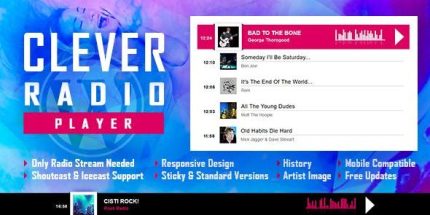
CLEVER 2.6.2 – HTML5 Radio Player With History – Shoutcast and Icecast

Effortlessly embed CLEVER, a WordPress radio player with history support that streams ShoutCast and IceCast, usable as fixed-width, full-width, or footer/sticky player. It delivers a smooth listening experience with quick access to recent tracks and reliable streaming, plus easy integration and responsive design. Plug in, explore, and stay in the groove.
Description
CLEVER is a WordPress radio player plugin that makes it easy to embed a smooth listening experience on your site. It plays ShoutCast and IceCast radio streams while keeping stream playback reliable and responsive across devices.
With history support, listeners can quickly revisit recently played tracks, and you can place the player in different layouts—fixed-width and centered, full-width, or as a footer/sticky player. This makes it simple to integrate into existing WordPress and WooCommerce pages, and to match your site’s design using Elementor-friendly embedding.
Main Features
- ShoutCast stream playback — Connect and play ShoutCast radio streams directly in WordPress.
- IceCast stream playback — Support for IceCast sources alongside ShoutCast.
- History support — Keep access to recently played tracks so listeners can return quickly.
- Multiple player layouts — Use a fixed-width centered player, a full-width player, or a footer/sticky variant.
- Sticky and footer placement — Maintain player availability without disrupting page flow.
- Responsive design — Adjusts the player experience for different screen sizes and viewing contexts.
- Easy embed into WordPress — Integrates cleanly into posts and pages without complex setup.
- Smooth playback experience — Designed to deliver efficient streaming and comfortable listening.
Benefits
- Faster return to content — History access helps users revisit recent tracks and stay engaged longer.
- Higher on-page interaction — Sticky/footer placement keeps the player available, encouraging continued listening.
- Better UX across devices — Responsive behavior improves usability on mobile, tablet, and desktop.
- Consistent audio presence — Dedicated player layouts help maintain a clear, predictable listening interface.
- Streamlined integration — Easy embedding supports common WordPress workflows and page building with Elementor.
Who is it suitable for?
- Radio stations or podcast networks embedding a live player on their WordPress site
- WooCommerce stores that want an audio “listening background” on product or landing pages
- Music blogs and community sites building pages with Elementor
- Agencies managing client WordPress sites and reusable template kits
- Online magazines or event platforms that feature live streams and recurring audiences