Blog Manager for WordPress 2.0.1

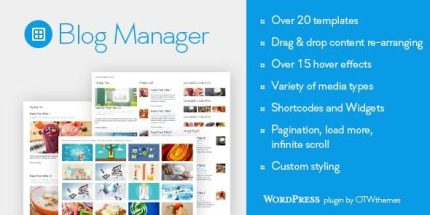
Blog Manager for WordPress is a versatile plugin that lets you create unlimited blog post lists with 20+ templates, giving you full control over layout and style via shortcodes or widgets. Enjoy easier content presentation, stronger engagement, and fast, flexible customization—perfect for showcasing posts in grids, sliders, timelines, or newspapers.
Description
Blog Manager for WordPress is a WordPress plugin designed to present your blog content in more ways than most themes allow. Instead of being limited to a single blog layout, it helps you build unlimited blog post lists with flexible templates and styling options.
With shortcodes or widgets, you can place these post lists anywhere on your site and adjust what appears, how it’s arranged, and how it looks. This makes it easier to showcase recent posts, category content, or editorial highlights in grids, sliders, timelines, or newspaper-style blocks.
Main Features
- Unlimited blog post lists — Create as many separate post lists as you need for different sections of your site.
- 20+ layout templates — Choose from a wide set of predefined blog styles, including grid, newspaper, timeline, and slider formats.
- Shortcode placement — Insert blog lists into pages and posts using shortcodes.
- Widget placement — Display blog lists via a widget in widget-ready areas of your theme.
- Grid column variations — Use grid layouts such as 1, 2, 3, or 4 columns to match your design.
- Image-alignment styles — Switch between image left, image right, and image top widget styles.
- Newspaper layouts — Present posts in newspaper-inspired multi-column arrangements for a content hub feel.
- Timeline and editorial sections — Show posts in a timeline format to guide readers through updates.
- Slider and carousel displays — Use slider and carousel layouts, including multi-column carousel options.
Benefits
- More engaging layouts — Showcase posts in grids, sliders, and timelines to keep readers interacting with your content.
- Better UX for scanning — Help visitors find relevant articles faster with structured, repeatable list formats.
- Theme-agnostic flexibility — Overcome limited blog layout and styling options offered by many WordPress themes.
- Higher conversion potential — Improve engagement with clearer pathways from blog sections to your key pages and calls to action.
- Faster page building — Reuse templates and switch presentation styles without rebuilding layouts from scratch.
- Consistent design system — Maintain uniform blog list styling across the site by adjusting layouts and templates centrally.
Who is it suitable for?
- Bloggers who want multiple ways to display posts across different pages.
- WordPress business websites that publish updates, guides, or resources regularly.
- WooCommerce stores looking to highlight blog content alongside products.
- Content agencies managing several editorial sections and layouts.
- News and magazine-style sites that need newspaper and timeline formats.
- Marketing teams creating landing pages with curated post collections.