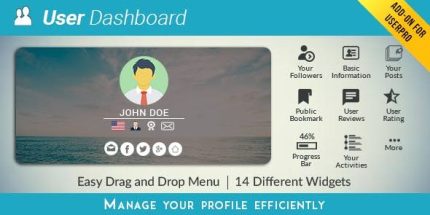
UserPro Dashboard 3.7

UserPro Dashboard lets users quickly tailor their profile with a drag‑and‑drop design and 14 ready‑to‑use widgets, delivering a polished, personalized page. This WordPress type plugin provides a single‑page overview, admin‑driven layouts, multi‑language support, and easy post management—perfect for consistent, showcase‑worthy profiles.
Description
UserPro Dashboard is a WordPress plugin that helps users customize their profile with a drag-and-drop layout and a polished, single-page view. It solves the problem of generic user profiles by letting people present the right information consistently on their dashboard.
With 14 ready-to-use widgets and admin-driven design options, the dashboard supports a personalized experience while keeping layouts uniform. Administrators can also manage widgets and user layouts, making it easier to maintain a clean, showcase-worthy profile.
The plugin includes multi-language support (French, German, Spanish) and supports direct post management from the dashboard, so users can update their content without jumping between screens.
Main Features
- 14 ready-to-use widgets — Build profile pages with prebuilt blocks for common profile content.
- Drag-and-drop layout design — Reorder and arrange widget sections visually to match each user’s preferences.
- Admin-created custom widgets — Administrators can define additional widget types for specific profile needs.
- Shortcode support in custom widgets — Custom widgets can render administrator-selected shortcodes.
- Admin-controlled layout for all users — Set up design layouts from the admin side to keep profile pages consistent.
- Single-page profile overview — Provide a quick dashboard view of the user’s profile details in one place.
- Post management from the dashboard — Allow users to manage their posts directly within the dashboard experience.
- Multi-language support — Support for French, German, and Spanish for a wider audience.
Benefits
- Better profile UX — Drag-and-drop editing and a single-page layout make profile customization easier to navigate.
- Higher engagement — Clear, organized profiles help visitors understand users faster and encourages interaction.
- Consistent branding — Admin-defined layouts keep all profiles looking cohesive across the site.
- More flexible content — Custom widgets and shortcode support enable tailored profile sections for different communities.
- Improved content freshness — In-dashboard post management reduces friction for users updating their contributions.
- Reach across languages — Multi-language support supports user experiences for French, German, and Spanish audiences.
Who is it suitable for?
- Community and membership WordPress sites with user dashboards
- User directory or author showcase websites
- Platforms that require multi-language user profiles
- Agencies building user-centered templates for clients
- Websites where users regularly publish and manage posts
- Online schools or learning platforms with student profile customization