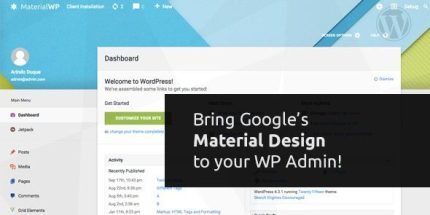
Material WP 1.0.6 – Material Design Dashboard Theme
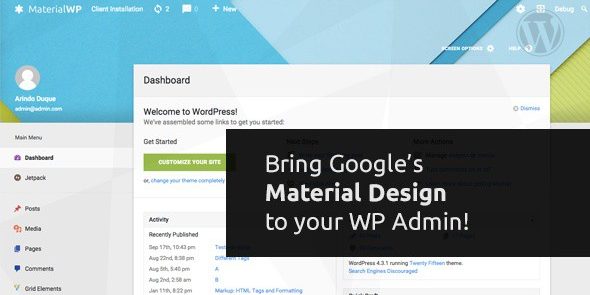
Material WP reimagines your WordPress admin with a full Material Design overhaul, delivering a clean, intuitive interface and drag-and-drop menu reordering. Main benefit: faster, calmer workflow with modern visuals, plus RTL and multisite styling for teams. Explore the demo to see how easy managing your site can be. Type: WordPress plugin.
Description
Material WP reimagines the WordPress admin panel with a full Material Design overhaul, giving your back end a cleaner, more intuitive interface that feels modern without changing your site’s structure. If you’re tired of the same admin layout across versions, this plugin refreshes the workflow with clearer visuals and smoother daily navigation.
It also helps teams stay consistent by styling the admin across multisite setups, while adding RTL support for right-to-left languages. With drag-and-drop admin menu reordering and configurable layout controls, you can tailor the admin experience to how you work—making management calmer and more efficient.
Main Features
- Material Design admin redesign — Rebuilds the WordPress admin interface with Material-style visuals.
- Drag-and-drop menu reordering — Reorder admin menu items, per user, using drag and drop.
- Responsive layout — Keeps the admin interface usable across different screen sizes.
- Parallax block — Adds a parallax block element to enhance the admin visual layout.
- Login page styling — Applies Material-inspired styling to the WordPress login page.
- Import/export settings — Moves your configuration between sites using import and export.
- Menu and parallax sizing controls — Adjusts widths and heights for the admin menu and the parallax block.
- Custom CSS field (SCSS-friendly) — Lets you write custom CSS with support for SCSS syntax.
- Multisite + RTL support — Enables network-wide styling options and adds RTL compatibility.
- Menu item hiding — Allows the admin menu editor to hide selected menu items.
Benefits
- Faster admin workflow — Drag-and-drop ordering reduces time spent hunting for features.
- Better UX — A Material-inspired interface makes the admin panel easier to scan and use.
- Consistent team experience — Multisite global styling helps keep settings uniform across sites.
- Improved usability for RTL users — RTL support supports right-to-left language teams more comfortably.
- Easier customization — Import/export plus custom CSS options streamline setup and iterations.
Who is it suitable for?
- WordPress site owners who want a modernized admin interface.
- WooCommerce store administrators managing frequent updates and content changes.
- WordPress multisite network administrators who need consistent styling across sites.
- Agencies and developers deploying similar admin experiences across multiple client sites.
- Teams working in right-to-left languages.
- Content-heavy sites and editorial teams that benefit from personalized admin menu layouts.