Modal Form 1.0.2
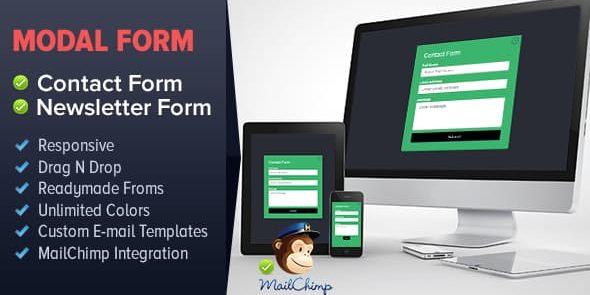
Modal Form is a responsive drag-and-drop modal form builder plugin for WordPress that lets you create contact and newsletter forms without touching PHP or MySQL, making setup a breeze. Includes MailChimp integration, form validation, customizable confirmation messages with templates, and easy drag-and-drop field reordering—perfect for faster, higher-converting forms.
Description
Modal Form is a responsive drag-and-drop modal form builder plugin for WordPress. It helps you create contact and newsletter forms directly in the WordPress administrative interface—without writing PHP or touching MySQL. Instead of building markup manually, you design forms by placing fields into a modal layout (Bootstrap 3-based) and configuring behavior from a simple panel.
It also streamlines common form tasks like validation, spam protection, and post-submit messaging. With MailChimp integration and configurable templates for confirmations and emails, you can reduce setup effort while aiming for smoother user interactions.
Main Features
- Drag-and-drop fields — Add and place standard form fields using an intuitive builder interface.
- Drag-and-drop reordering — Rearrange fields quickly to match your preferred form flow.
- MailChimp Integration — Connect newsletter submissions to MailChimp for list management.
- Form Validation — Enforce input rules to improve data quality and reduce incomplete submissions.
- Customized confirmation messages — Control what appears after submission, including HTML-formatted templates.
- Confirmation email receipt to user — Send users an email confirmation after they submit the form.
- Notification email templates — Configure notification emails sent to site owners or team inboxes.
- Captcha — Add CAPTCHA support to help deter automated spam submissions.
Benefits
- Faster form creation — Build and customize forms visually in WordPress instead of editing code.
- Cleaner user input — Validation and required fields help capture more complete, usable submissions.
- Better engagement — Confirmation messages and email receipts set clear expectations after submission.
- More effective newsletters — MailChimp integration supports consistent signup handling and list updates.
- Improved conversion flow — Modal presentation and configurable templates help deliver a smoother experience.
Who is it suitable for?
- Small business sites needing contact and newsletter forms
- WooCommerce store owners collecting inquiries and signups
- Blog and magazine teams adding newsletter capture modals
- Agencies building forms for multiple WordPress projects
- Online schools and course sites managing lead collection