Storage for Contact Form CF7 2.1.4
Storage for Contact Form CF7 is a WordPress plugin that stores all CF7 submissions (including attachments) in your database, ensuring you never miss a lead even if emails fail. It offers CSV export and keeps detailed records (time, IP, URL, user agent) for easy analytics and backup. An easy-to-use interface and reliable backup make it your must-have solution for lead capture.
Description
Storage for Contact Form CF7 is a WordPress plugin that saves every Contact Form 7 submission directly in your WordPress database. It acts as a reliable backup for leads, even when CF7 email notifications fail, are delayed, or get deleted. Instead of relying only on inbox delivery, you keep a complete record of inquiries and uploaded files.
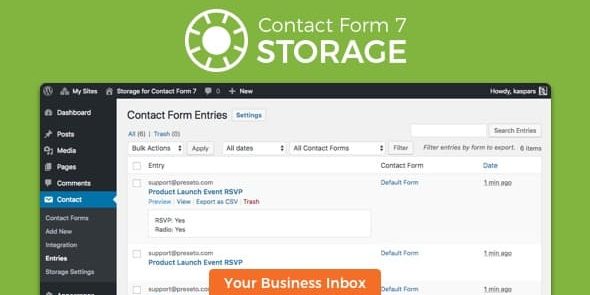
For teams using WooCommerce sites or any WordPress theme and workflow, the plugin provides an “Entries” view inside the WordPress admin, plus CSV exports for reporting. You also get submission context (time, IP, URL, and user agent) to support audits, debugging, and basic analytics.
Main Features
- Database storage for CF7 submissions — Stores all entries in the WordPress backend in addition to sending emails.
- Attachment saving — Keeps uploaded files from CF7 submissions so attachments are not lost.
- CSV export for Excel — Exports all or filtered submissions as CSV, including attachment links.
- Field-by-field entry details — Saves individual input values and exposes them as CSV columns.
- Submission metadata tracking — Records date/time, IP address, referer URL, recipient email, and subject line.
- User-agent capture — Stores browser and device information for each submission.
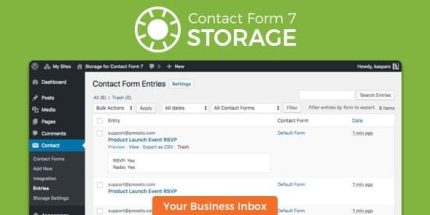
- Admin “Entries” interface — Shows submissions in reverse chronological order with quick previews.
- Filtering, sorting, and search — Lets you narrow results by form and date, and find entries with text search.
- Multilingual translations — Adds Spanish and Catalan translations (from version 1.6.0).
Benefits
- Never miss leads — Lead records remain available even if CF7 email delivery is unreliable.
- Better auditability — Metadata like IP, user agent, and referer helps review and verify submissions.
- Faster follow-ups — Search and filtering reduce time spent locating specific inquiries.
- Improved reporting — CSV exports support spreadsheets and easy analysis of form performance.
- Safer backups — Database-stored entries provide an additional recovery path for contact records and files.
Who is it suitable for?
- WordPress site owners using Contact Form 7 for lead capture
- WooCommerce store operators who need reliable inquiry records
- Marketing teams that export submission data for reporting
- Agencies managing multiple WordPress client sites
- Developers troubleshooting form delivery and submission issues
- Content creators collecting support requests or application submissions