GFChart GravityView Add-On 0.10.3

GFChart GravityView Add-On for Wordpress streamlines data viewing by linking Gravity Forms entries with GravityView, turning submissions into interactive charts and views. Its main benefit is quick, visual insights from form data, boosting decision-making. A bonus is seamless integration and easy setup that saves time; explore how it powers your dashboards.
Description
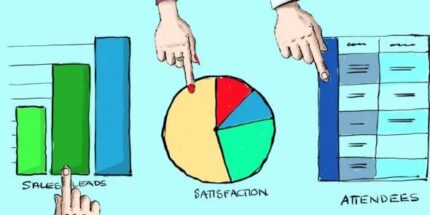
GFChart GravityView Add-On is a WordPress plugin that helps you turn Gravity Forms submissions into interactive data visuals. By connecting Gravity Forms entries with GravityView, it streamlines how form data is viewed on the front end. Instead of scanning raw responses, you can present charts and structured views that reflect what users have submitted.
This makes it easier to spot patterns and answer questions quickly, especially when your forms power dashboards, reporting pages, or internal review workflows. With a seamless integration between Gravity Forms, GravityView, and your existing WordPress pages, setup is designed to be straightforward and time-saving.
Main Features
- Gravity Forms to GravityView linking — Uses Gravity Forms entries as the data source for GravityView displays.
- Chart-based visualizations — Transforms submissions into charts so users can interpret results at a glance.
- Dashboard-friendly views — Supports creating summary-style pages that highlight key insights from your form data.
- Interactive display in WordPress — Shows visual results within GravityView templates on your site.
- Automatic reflection of new submissions — Keeps visualizations aligned with the latest Gravity Forms entry data.
- Easy configuration workflow — Designed for quick setup when building GravityView pages from form inputs.
- Reusable reporting layouts — Helps you standardize how you present recurring form reports over time.
Benefits
- Faster insights — Reduces time spent reviewing individual entries by highlighting trends visually.
- Better decision-making — Makes it easier to understand what users are submitting and act on it sooner.
- Improved data UX — Enhances front-end readability with charts and organized GravityView views.
- Lower manual work — Minimizes the need for exports or separate reporting steps when reviewing form results.
- Consistency across pages — Helps maintain a uniform reporting approach by reusing the same visualization logic in GravityView.
Who is it suitable for?
- Gravity Forms-powered WordPress sites that need reporting visuals
- Businesses building dashboard pages with GravityView
- Agencies creating recurring form-based client reports
- Content teams tracking submissions and engagement through form data
- Operations teams reviewing intake, feedback, or request data