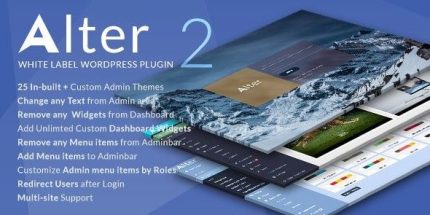
WpAlter White Label 2.5.1 – WordPress Plugin

WPAlter White Label lets you fully customize the WordPress admin with unlimited color themes and white-label branding, giving you a client-ready dashboard. It centralizes control over menus, login, widgets, and admin bar—removing branding and tweaking icons for a cleaner, branded experience. (Type: WordPress)
Description
WpAlter White Label helps you customize the WordPress admin dashboard so it feels like your own client-ready workspace. With unlimited color themes and white-label branding, you can remove WordPress naming and adjust visuals across the admin UI.
It centralizes control over menus, login appearance, widgets, and the admin bar—so you can deliver a cleaner experience for editors and staff without relying on manual tweaks. If you also use Elementor-based sites, this plugin keeps the backend consistent with your overall brand presentation.
Because it manages overlapping admin menu elements, it may conflict with other menu customizers such as Admin Menu Editor and Admin Menu Editor Pro, depending on what you change.
Main Features
- Unlimited color themes — Set your own admin color scheme to match your brand.
- White-label branding — Remove WordPress texts and logo elements from the admin interface.
- Custom login branding — Use your own logo and login styling on WordPress admin pages.
- Flat/default admin design — Apply a consistent shadow-style look (default/flat layout option).
- Menu hide, rename, and reorder — Adjust admin menu items for clearer navigation.
- Role-based menu visibility — Show or hide admin menu items based on user roles.
- Custom menu icons — Assign Dashicons and FontAwesome icons to admin menu items.
- Dashboard widget control — Add unlimited custom dashboard widgets and delete existing widgets, including those added by third-party plugins and themes.
- Admin bar customization — Remove admin bar items and add custom admin bar links; also hide items created by third-party plugins.
Benefits
- More brand consistency — Your admin dashboard matches the client’s identity with custom colors and logos.
- Cleaner backend UX — Hidden and reorganized menus reduce clutter and improve day-to-day usability.
- Role-focused navigation — Role-based menu visibility helps staff see only what’s relevant.
- Lower training friction — Consistent icons and admin bar links make interfaces easier to understand for new users.
- Improved content management — Central widget control supports a streamlined dashboard across themes and plugins.
Who is it suitable for?
- Web design agencies managing multiple client WordPress dashboards.
- Freelancers who need a repeatable white-label WordPress admin setup.
- WooCommerce store owners coordinating tasks across managers and staff roles.
- Content teams (blog, media, or marketing) that want a simplified admin workspace.
- Online schools and LMS administrators running WordPress-backed platforms.
- SaaS or internal platforms using WordPress as a branded content/admin area.