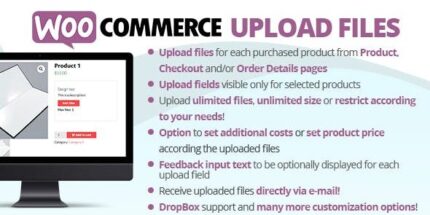
WooCommerce Upload Files 88.6

WooCommerce Upload Files lets customers upload one or more files from the product page, during checkout, or on the order detail page, all shown with visual progress bars. A lightweight, easy-to-integrate solution for WooCommerce stores that want smoother fulfillment, higher conversion, and polished, user-friendly uploads.
Description
WooCommerce Upload Files is a lightweight plugin that lets shoppers upload one or more files directly in your store. It supports uploads from the product page, during the checkout flow, and on the order detail page, depending on the purchased items.
To make the process easy and transparent, uploads are displayed with clear visual progress bars. This helps customers understand what’s happening while also giving you better visibility into what was submitted for each order.
For WooCommerce stores using modern page builders like Elementor or custom theme templates, the plugin is designed to be simple to integrate into existing product and order experiences.
Main Features
- Multi-file uploads — Customers can upload one or more files for a single purchase.
- Product page upload — File upload fields can be shown on the WooCommerce product page.
- Checkout uploads — Shoppers can attach files while completing checkout.
- Order detail uploads — Additional file submissions can be handled from the order detail page.
- Visual progress bars — Upload status is shown with progress indicators during transfer.
- Item-based behavior — Upload availability can follow the items included in the order.
- Designed for WooCommerce — Built to work within WooCommerce product, checkout, and order workflows.
Benefits
- Smoother fulfillment — Your team receives the required files attached to the order process.
- Better UX — Progress bars reduce uncertainty and improve the customer upload experience.
- Higher conversion — Clear upload steps during checkout help customers finish without delays.
- Improved order clarity — Files remain accessible via the order detail page for follow-up.
- Faster workflows — Reduces back-and-forth by letting customers submit files where they expect them.
Who is it suitable for?
- WooCommerce stores selling custom products or services that require customer files
- Digital marketplaces that need attachments per item in an order
- Agencies and studios collecting assets (logos, briefs, mockups) from clients
- Content and education businesses that require uploads during enrollment or purchase
- Web design and development teams handling deliverables submitted through the storefront