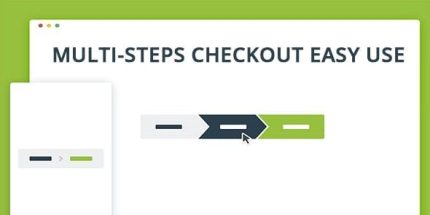
WooCommerce Checkout Multi-Step 3.6.2

WooCommerce Checkout Multi-Step streamlines checkout with a clean step-by-step UI, reducing cart abandonment and boosting conversions. It validates billing and shipping at each step and adapts across devices and themes for a seamless experience. A versatile, responsive plugin with WPML compatibility and multiple styles. Type: WooCommerce
Description
WooCommerce Checkout Multi-Step adds a clean, step-by-step checkout flow to your WooCommerce storefront. Instead of forcing customers to complete everything on a single page, it guides them through billing and shipping in a more focused UI.
This helps reduce friction during checkout by validating billing and shipping at each step. With responsive layout support, the multistep experience adapts across devices and continues to look consistent across themes.
The plugin also supports Elementor-based layouts and common theme designs through multiple styles and both horizontal and vertical orientations. WPML compatibility makes it suitable for multilingual stores that need a smooth checkout experience for every language.
Main Features
- Step-by-step checkout UI — Displays checkout as progressive steps to keep customers focused.
- Billing step validation — Validates billing fields during the billing step before moving forward.
- Shipping step validation — Validates shipping information at the shipping stage to prevent incomplete orders.
- Responsive layout — Maintains a usable checkout layout on mobile, tablet, and desktop screens.
- Horizontal orientation — Uses a horizontal step layout for a compact checkout experience.
- Vertical orientation — Supports a vertical step layout for forms that benefit from stacked sections.
- Multiple styles — Offers 5 styles to match different visual designs and themes.
- Cross-browser compatibility — Designed to work consistently across major browsers.
- Works with all themes — Built to function across WooCommerce theme setups.
- WPML compatible — Supports multilingual checkout flows for WPML-enabled sites.
Benefits
- Fewer checkout errors — Step validation helps customers correct details earlier, improving order completion.
- Higher conversions — A guided flow can reduce friction and support better conversion rates.
- Better UX — Clear progress through billing and shipping improves clarity during checkout.
- Consistent design — Multiple styles and theme compatibility help maintain a cohesive storefront appearance.
- Improved accessibility across devices — Responsive behavior keeps the multistep form usable on phones and desktops.
Who is it suitable for?
- WooCommerce stores looking to streamline the checkout journey.
- Multilingual shops using WPML that need a consistent checkout experience.
- Online businesses with higher cart abandonment where reducing form friction matters.
- Website builders using Elementor who want a clearer, step-based checkout layout.
- Agencies managing multiple WooCommerce clients and theme styles.