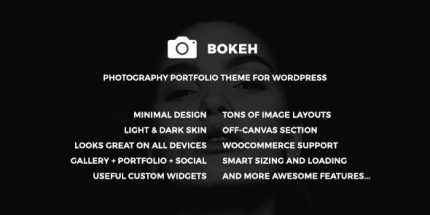
Bokeh 1.2 – Photography Portfolio Theme for WordPress

Bokeh is a feature-rich WordPress photography portfolio theme that lets you mix gallery, single portfolio, and list layouts to craft your own visual story. It delivers stunning, responsive grids and sliders to showcase your work clearly, boosting engagement. Plus, easy customization and seamless integration save time and keep your site professional.
Description
Bokeh is a WordPress photography portfolio theme designed to help you present visual work with structure and style. It solves the challenge of creating a portfolio that feels unique while still being easy to manage. Instead of forcing a single layout, Bokeh lets you combine gallery, single portfolio, and portfolio list designs to tell your own visual story.
With responsive grids and slider options, your images are showcased clearly across devices. Built-in gallery, portfolio, and header styles also make it simpler to keep your website looking professional while you focus on your photography.
Main Features
- Gallery layout variety — Mix masonry, grid, justified, and vertical gallery styles with 2–5 column options.
- Gallery slider styles — Use centered slider and full slider presentations to highlight featured sets.
- Single portfolio styles — Choose masonry, grid, justified, stacked layouts, and left/right thumbnail designs.
- Slider and hero options — Add centered slider, vertical wide images, and hero slider formats for individual projects.
- Portfolio list designs — Display work in grid or masonry list layouts, including a full-page layout with keyboard navigation.
- Social portfolio section — Showcase Instagram, 500px, and Dribbble content as part of your portfolio presence.
- Header style presets — Switch between multiple horizontal and side header variations with light/dark text and backgrounds.
- Custom visual composition — Combine the available styles to create a distinct look without rebuilding sections from scratch.
Benefits
- Clearer image storytelling — Layout options help visitors understand your work through organized galleries and project pages.
- Higher engagement — Sliders and featured presentations keep attention on key images and series.
- Better UX navigation — Full-page list mode with keyboard navigation makes browsing faster and more comfortable.
- Mobile-friendly viewing — Responsive grids and image-focused layouts maintain quality across screen sizes.
- Consistent branding — Header presets and style choices help keep the site polished and cohesive.
Who is it suitable for?
- Photography portfolios for individuals and studios
- Freelance designers showcasing projects and case studies
- Creative agencies presenting multiple photographers’ work
- Creative blogs that need a strong visual gallery structure
- Artists who want to include social content like Instagram, 500px, and Dribbble