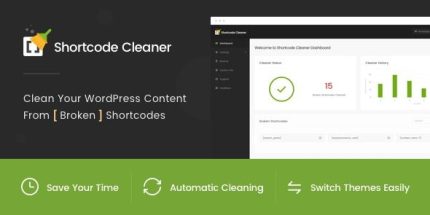
Shortcode Cleaner 1.1.6 – Clean WordPress Content from Broken Shortcodes

Shortcode Cleaner helps WordPress users keep content pristine by automatically removing broken shortcodes, saving time across frontend, backend, and database. It delivers a clean, error-free site during theme or plugin switches and offers a simple dashboard to spot issues at a glance. Try this plugin to maintain fresh content effortlessly.
Description
Shortcode Cleaner is a WordPress plugin designed to keep posts, pages, and dynamic content free from broken shortcodes. When themes or plugins are changed, outdated shortcode tags can produce errors, confusing layout issues, or incomplete rendering for visitors and editors. This plugin helps automatically clean affected content across the frontend, backend, and WordPress database. It also provides a clear dashboard so you can spot shortcode problems quickly and keep your site output consistent.
Main Features
- Automatic broken shortcode cleanup — Removes broken shortcode instances so your content stays clean during normal site usage.
- Frontend content cleaning — Cleans rendered content for visitors to reduce visible shortcode issues.
- Backend admin content cleaning — Helps keep the WordPress editor and admin views free from shortcode errors.
- Database content cleaning — Cleans stored content in the WordPress database to prevent recurring issues.
- Cleaner Dashboard reports — Summarizes detected broken shortcodes for quick review.
- Location checking — Indicates where broken shortcodes are found to speed up troubleshooting.
- Broken shortcode status in Admin Bar — Shows shortcode health status directly in the WordPress admin interface.
- Configurable cleaner settings — Lets you control how cleaning behaves via the plugin settings.
Benefits
- Cleaner page rendering — Reduces frontend shortcode errors for a smoother visitor experience.
- Less editor confusion — Keeps backend content readable so editors can work without shortcode-related distractions.
- Fewer recurring issues — Database cleaning helps prevent the same broken shortcodes from reappearing.
- Faster cleanup workflow — Dashboard reporting and location checks help you address problems efficiently.
- Smoother theme/plugin switching — Helps maintain content integrity when updating or replacing WordPress components.
Who is it suitable for?
- WordPress site owners migrating or replacing themes
- WooCommerce store admins with shortcode-heavy pages
- Bloggers and content teams managing frequent post edits
- Web agencies updating multiple client sites
- Developers maintaining custom shortcode integrations