
Divi Assistant 1.3.1
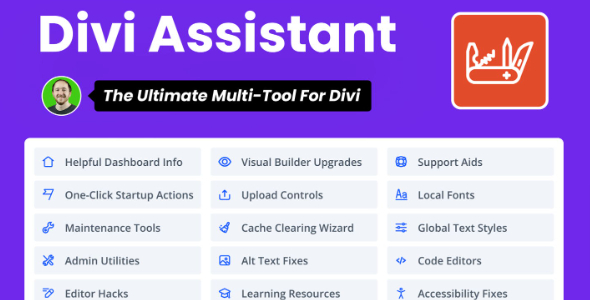
Divi Assistant is a comprehensive WordPress toolkit that brings startup actions, utilities, global styles, and accessibility fixes to your Divi site, making edits faster and maintenance easier. Its main benefit is streamlined workflow and consistent design across pages. Plus, built-in code editing, import/export, and learning resources add extra flexibility—give it a try.
Description
Divi Assistant is a WordPress toolkit plugin built to streamline day-to-day work on your Divi website. It focuses on practical setup actions, useful utilities, and maintenance tools that help you edit faster while keeping styles consistent across pages.
Beyond workflow enhancements, it adds global styles support, code editing tools, import/export options, and learning resources. It also includes accessibility and media improvements such as alt text fixes, so updates stay cleaner and more user-friendly.
Main Features
- Startup actions — Automate common initial steps to get new edits underway quickly.
- General utilities — Provide everyday helpers for smoother Divi site management.
- Interface hacks — Add practical interface tweaks and custom settings for more comfortable editing.
- Global styles tools — Help maintain consistent styling decisions throughout your Divi pages.
- Code editors — Include built-in code editing tools for direct adjustments when needed.
- Accessibility improvements — Add fixes and enhancements aimed at better usability, including alt text handling.
- Media utilities — Offer media-focused workflow options to reduce friction during updates.
- Local fonts — Support local font usage for more controlled typography.
- Import/export tools — Move settings and content-related configurations between environments.
- System report sharing — Share system reports to speed up troubleshooting and collaboration.
Benefits
- Faster edits — Startup actions and utilities reduce repeat work during daily Divi updates.
- Consistent design — Global styles tools support a more uniform look across pages.
- Cleaner accessibility — Alt text fixes and accessibility improvements help enhance user experience.
- More control — Built-in code editors and local fonts make fine-tuning easier.
- Reusable workflows — Import/export options help standardize changes across sites or staging.
- Lower maintenance friction — Maintenance tools and system report sharing simplify long-term upkeep.
Who is it suitable for?
- WordPress users building and maintaining Divi websites
- WooCommerce store owners managing product and landing page updates
- Web agencies working across multiple Divi client sites
- Content creators refining layouts with Elementor-style workflows (Divi-focused editing)
- Teams that regularly move designs or settings between staging and production
- Developers who want integrated code editing and accessibility helpers
