1.0.0
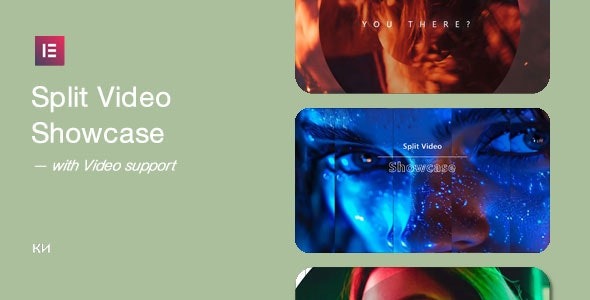
Split Video Showcase For Elementor is a WordPress plugin that lets you add unique video hover effects in minutes. Boost engagement and time on site with sleek, interactive video showcases that captivate visitors. Easy Elementor integration, responsive design, and a fast setup make it the perfect choice for dynamic media displays.
Description
Split Video Showcase For Elementor is a WordPress plugin that helps you create interactive split video hover effects without complex setup. It’s designed to turn static sections into engaging media showcases that encourage visitors to explore more of your page.
With smooth, responsive output, this Elementor integration lets you build dynamic video displays that work across devices. If you want a quicker way to add standout visuals, the plugin streamlines the process so you can launch hover-style showcases in minutes.
Main Features
- Elementor integration — Add split video hover showcases directly in the Elementor editor.
- Split video showcase layout — Present video content in a divided, eye-catching format.
- Video hover effects — Reveal visual changes when users hover to increase interactivity.
- Interactive media display — Use motion and transitions to make key sections more engaging.
- Image hover support — Create hover-style effects for images alongside the video showcase concept mentioned in the description.
- Responsive design — Ensure the showcase adapts for desktop, tablet, and mobile views.
- Fast setup — Build and insert effects quickly for faster page publishing.
- No-code workflow — Configure and place the showcase through Elementor instead of custom coding.
Benefits
- Higher engagement — Hover interactions give visitors a reason to interact with your content.
- Longer time on site — Captivating video sections can encourage more scrolling and exploration.
- Better UX — Responsive behavior helps maintain a consistent experience across devices.
- More visually distinctive pages — Split layouts help your branding stand out on Elementor-based layouts.
- Faster content creation — Quick setup reduces the effort needed to publish dynamic media sections.
- SEO-friendly engagement signals — Improved interaction and usability can support stronger on-page performance.
Who is it suitable for?
- Elementor-based WordPress sites needing interactive video sections
- Marketing landing pages and campaign sections
- Agencies building responsive Elementor pages for clients
- Portfolio and creative studios showcasing work with hover effects
- Blogs and media sites that want more engaging page layouts
- Online schools or course platforms highlighting featured content