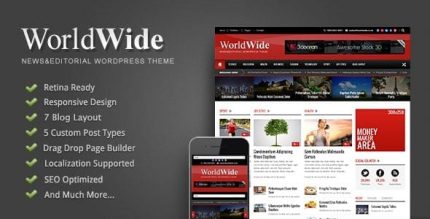
World Wide 2.0.4 – Responsive Magazine WP Theme
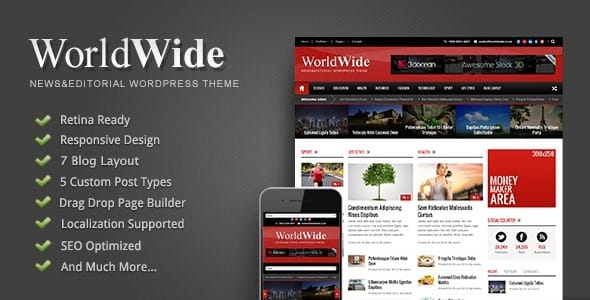
World Wide is a premium magazine WordPress theme that delivers 7 blog styles and 5 sidebar layouts for flexible content layouts. Easily customize colors, background patterns, and fonts via the powerful admin panel, boosting readability and branding. Enjoy effortless design and one-click tweaks—start exploring World Wide today.
Description
World Wide is a WordPress magazine theme built for sites that need flexible, editorial-style layouts without complex setup. It helps you solve the common challenge of arranging posts, sidebars, and typography so your content looks consistent and easy to read. With ready-to-use blog styles and sidebar layouts, you can quickly match your site to different section formats like news, reviews, or featured articles.
The theme’s admin panel makes it practical to refine branding elements such as colors, background patterns, and font families. That means you can refresh the look of your magazine site while keeping a cohesive design across pages and posts.
Main Features
- Magazine-focused layout design — Built to support blog and content presentation in an editorial style.
- 7 blog style options — Switch between multiple blog presentation styles to suit different content sections.
- 5 sidebar layout styles — Choose sidebar variations for improved structure on posts and category pages.
- Color customization — Adjust element colors to align the theme with your brand.
- Background pattern controls — Change background patterns to enhance visual character without redesigning templates.
- Font family settings — Select font families to improve readability and match your typography preferences.
- Powerful admin panel — Manage theme appearance and key settings from a centralized options area.
- One-click style tweaks — Apply quick adjustments to update design elements with minimal effort.
Benefits
- More consistent branding — Color, patterns, and fonts stay aligned across your magazine layout.
- Improved content readability — Typography and layout choices help users scan and read posts more comfortably.
- Faster layout decisions — Blog styles and sidebar layouts reduce time spent building page structure.
- Flexible section formatting — Different styles work well for diverse categories and content types.
- Better user experience — Clear structure and thoughtful magazine presentation support smoother browsing.
- Easy ongoing updates — Admin-panel controls make it simple to refine the look as your site evolves.
Who is it suitable for?
- Magazine and news WordPress websites
- Bloggers who publish multiple content categories
- Content creators building editorial-style layouts
- Agencies designing WordPress sites for clients
- Portfolio sites that rely on regular featured posts
- Community and niche publications