Exit Intent Popup 1.0.3
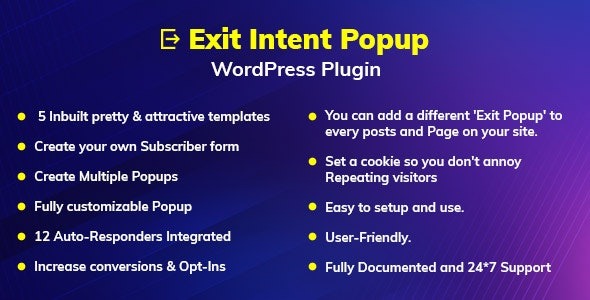
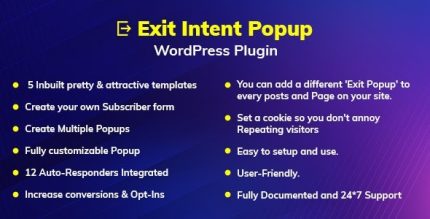
Exit Intent Popup is a WordPress plugin that lets you easily create exit-intent popups on any page or post to capture more leads. It triggers by user behavior with time, scroll depth, and page targeting, boosting conversions with zero coding required. Smooth integration and simple setup make it a smart choice.
Description
Exit Intent Popup is a WordPress plugin that helps you create exit-intent popups on any page or post to capture more leads before visitors leave. Instead of relying on a fixed timing, it triggers pop-up forms based on user behavior and intent.
With triggers like exit intent, time-based delays, scroll depth, and page targeting, you can better match the message to where a visitor is in your content. The setup is straightforward and doesn’t require coding, helping you optimize your conversion path.
Main Features
- Exit-intent trigger — Displays a popup when a visitor shows signs of leaving the page.
- Page and post targeting — Choose where the popup appears across your WordPress content.
- Time trigger — Show the popup after a selected delay to avoid interrupting early browsing.
- Scroll depth trigger — Trigger the popup when users reach specific reading or scrolling milestones.
- Popup form support — Use the popup to present opt-in or lead capture forms on your site.
- No-code creation — Build and launch exit popups without developer involvement.
- Conversion-focused delivery — Tailor the popup timing and placement to align with user behavior.
- Manage popups in WordPress — Create and control your exit popups directly within your WordPress workflow.
Benefits
- Higher lead capture — Recover abandoning visitors with behavior-based exit intent messaging.
- Better user experience — Reduce unnecessary interruptions by using time and scroll depth triggers.
- More relevant conversions — Improve alignment by targeting specific pages and posts.
- Clearer conversion path — Guide users at the right moment with form-based popups.
- Faster setup — Launch campaigns quickly thanks to a simple, zero-coding workflow.
Who is it suitable for?
- WooCommerce store owners who want to capture email leads from product and category pages.
- Bloggers aiming to grow subscribers from posts and articles.
- Marketing teams running conversion-focused landing and campaign pages.
- Content creators who publish frequently and need flexible popup placement.
- Agencies managing lead-gen sites for multiple clients.
- Small businesses using WordPress to promote offers and collect opt-ins.