
Gravity Forms Enhanced Choices 0.2.17
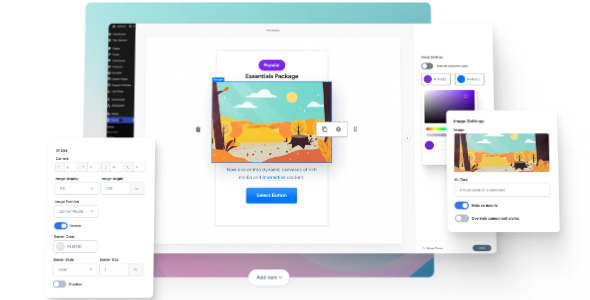
Gravity Forms Enhanced Choices unlocks unparalleled flexibility for your gravity forms by transforming standard fields into dynamic options—buttons, lists, pills, pricing, and more. It delivers a smoother user experience and higher conversions by letting you tailor choices to your audience. Perfect for designers seeking creative, easy-to-integrate options in WordPress.
Description
Gravity Forms Enhanced Choices is a WordPress plugin built for Gravity Forms that upgrades how your “choices” fields work in real forms. Instead of plain radio or dropdown options, it lets you present options as rich, structured selections such as buttons, lists, pills, paragraphs, and more.
By reshaping option formatting, you can reduce decision friction for your audience and create a smoother form experience. It’s especially useful for designers and marketers who want flexible layouts that still fit naturally into WordPress pages and form templates.
Main Features
- Rich content in choices — Add structured HTML content directly within choices fields.
- Image-enabled options — Include images with choices to make selections more visual.
- Button-style choices — Present options as clickable button layouts for clearer interaction.
- List and paragraph formats — Show options using list or paragraph-style text for better readability.
- Pill-style selections — Use pill layouts to improve scanning and mobile UX.
- Custom headings per option — Add headings to each choice for stronger hierarchy.
- Pricing display options — Include pricing-style information alongside each selectable option.
- Flexible choice rendering — Redefine how standard Gravity Forms choices appear without changing your form logic.
Benefits
- Higher conversion potential — Clearer option presentation helps users pick the right answer faster.
- Better user experience — Visual and structured choices reduce confusion and improve form flow.
- More engaging forms — Rich layouts (images, buttons, pills) make selections feel intuitive.
- Improved completion rates — Fewer backtracks and more readable choices can lead to more finished submissions.
- Design consistency — Build choice displays that align with your WordPress and Elementor page styling needs.
Who is it suitable for?
- WooCommerce stores using Gravity Forms for quotes, bundles, or product inquiries.
- Marketing agencies creating campaign landing pages with rich form experiences.
- Website owners building Elementor-based pages with Gravity Forms.
- Online schools and training providers collecting program and cohort selections.
- Appointment, booking, and service sites that need clear option hierarchies.
- Content creators and product teams running form-based intake and configuration flows.
