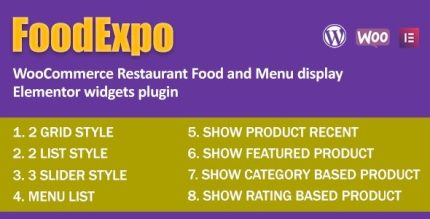
FoodExpo 1.0.2 – WooCommerce Restaurant Food Menu display Elementor widgets plugin
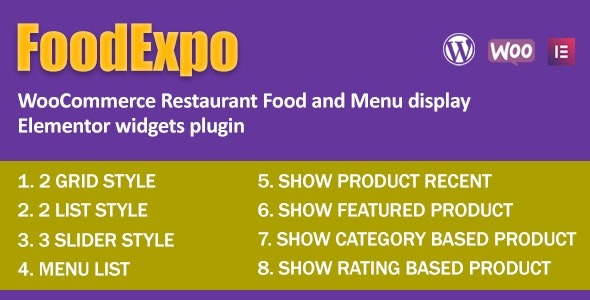
FoodExpo is a WooCommerce plugin for restaurants that integrates with Elementor to beautifully display your menu, specials, and online orders. It delivers stunning visuals, easy setup, and a seamless user experience that boosts conversions and order value.
Description
FoodExpo is a WooCommerce plugin built for restaurants and food businesses that want a more engaging way to present what they serve. It integrates with Elementor, so you can design menu and specials pages using the WordPress page builder. Instead of relying on basic product layouts, FoodExpo helps you showcase menu items with visuals that feel tailored to a dining experience. It also supports online ordering through WooCommerce, connecting what customers see to what they can purchase.
Designed for an easy setup and a seamless on-page experience, FoodExpo helps reduce friction in the ordering journey, supporting clearer browsing and smoother decision-making for guests.
Main Features
- Elementor widget integration — Use FoodExpo widgets inside Elementor to place menu content directly on your pages.
- WooCommerce ordering compatibility — Connect the displayed food offerings with WooCommerce for online purchase flow.
- Menu display widgets — Showcase menu items in a focused layout that works well for restaurant-style browsing.
- Specials presentation — Highlight featured dishes and limited-time offers with dedicated sections.
- Restaurant-oriented layouts — Present culinary content in visually appealing blocks that match common food-site structures.
- Fast, straightforward setup — Get started with an approachable configuration workflow for Elementor and WooCommerce.
- Responsive front-end output — Keep menu and specials content readable across mobile, tablet, and desktop screens.
- Seamless customer experience — Keep browsing and ordering aligned within the same page experience.
Benefits
- Higher conversions — Clear menu and specials presentation helps customers move from browsing to ordering.
- Better UX — Elementor-driven layouts reduce scrolling friction and make key items easier to find.
- Improved order value — Featured specials encourage customers to consider additional or featured dishes.
- Stronger mobile experience — Responsive output supports quick decisions on smaller screens.
- Smoother WooCommerce flow — Reduces disconnect between what’s displayed and how customers place orders.
Who is it suitable for?
- WooCommerce restaurants offering online ordering.
- Cafes, bistros, and delis that want Elementor-built menu pages.
- Food businesses running promotions and seasonal specials.
- WordPress agencies building restaurant websites with Elementor.
- Owners who need a cleaner menu-to-cart user journey without extra complexity.