YooTheme Table Pro 1.4.7
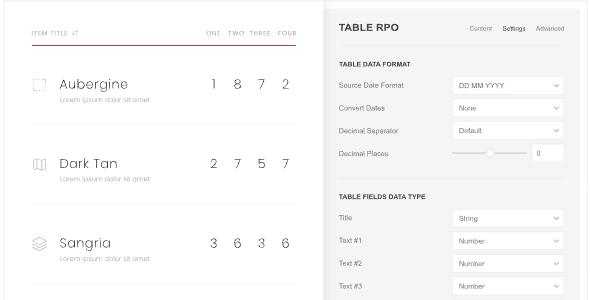
YooTheme Table Pro transforms data into clean, searchable tables with Sublayouts, Modal Builder, and up to 24 columns. This WordPress table tool integrates DataTables for built-in search, sorting, filtering, and pagination, delivering a fast, user-friendly experience. Choose it for sleek styling, seamless integration, and effortless data management.
Description
YooTheme Table Pro is a WordPress plugin designed to present data in clean, organized tables that users can find and navigate easily. Built for the YOOtheme Pro ecosystem, it helps you move from raw datasets to structured layouts with clear styling and practical controls.
With DataTables integration, Table Pro adds table search, column sorting, filtering, and pagination—so visitors can explore content faster without clutter. Features like Sublayouts and a Modal Builder make it easier to show related details without losing context, while Advanced Styling and visibility options help you control how tables appear across pages.
Main Features
- DataTables-powered search — Enables live table search for faster content discovery.
- Column sorting controls — Lets users sort rows by key columns to find relevant entries.
- Filtering options — Adds filter functionality to narrow results without reloading the page.
- Pagination — Splits large datasets into manageable pages for better usability.
- Sublayouts — Displays structured sub-views for related table content in a tailored layout.
- Modal Builder — Opens additional details in a modal to keep the table view intact.
- Up to 24 columns — Supports complex table structures with many data fields.
- Advanced styling — Provides styling controls for a polished, readable table design.
- Visibility options — Helps manage which columns and elements are shown for different contexts.
Benefits
- Better user navigation — Search, sorting, filtering, and pagination improve UX when working with large tables.
- Higher engagement — Modal Builder and Sublayouts surface deeper information without forcing page changes.
- Clearer data presentation — Advanced styling and visibility options keep tables readable and well-structured.
- Faster decision-making — Organized columns and DataTables controls help visitors find what they need quickly.
- Scalable table layouts — Up to 24 columns supports growing datasets and more complex content structures.
Who is it suitable for?
- WordPress sites using YOOtheme Pro to display structured datasets.
- WooCommerce storefronts that need product comparison or catalog tables.
- Agencies building data-heavy landing pages and web layouts.
- Blogs and knowledge bases that publish searchable reference tables.
- Online directories and listing sites with filters and detailed sub-views.