Tikidocs 2.2.3 – Knowledgebase & Support Forum WordPress Theme + RTL
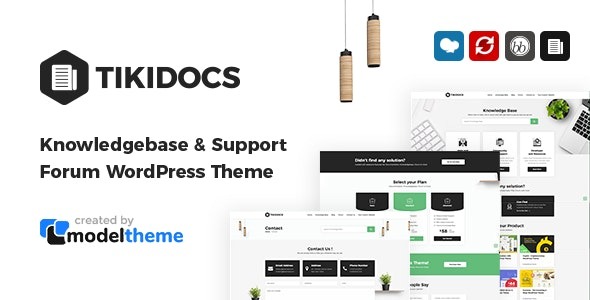
Tikidocs is a WordPress knowledgebase theme that helps you build self-serve help centers for any service, product, or topic. It frees your team time by letting users find answers fast, boosting support efficiency and customer satisfaction. With clean design, easy integration, and ready-to-use layouts, it’s simple to deploy—discover it today.
Description
Tikidocs is a WordPress knowledgebase theme built for creating self-serve help centers for any service, product, or topic. It turns your documentation into an organized library of answers so customers can get support without waiting on your team. By structuring articles clearly and making them easy to browse, Tikidocs helps reduce repetitive questions and improves support efficiency.
With clean, readable styling and ready-to-use layouts, you can launch a help portal quickly and keep users focused on the information they need. As a WordPress theme, it integrates naturally with your existing pages and content, giving you a practical foundation for better customer experience and faster resolution.
Main Features
- Knowledgebase-focused layout — Designed specifically for organizing help content like articles and guides.
- Self-serve help center structure — Supports a library-style experience that helps users find answers independently.
- Clear browsing experience — Uses intuitive navigation patterns to guide visitors through topics.
- Ready-to-use templates — Includes prebuilt layouts so you can get started with less setup.
- Clean, readable design — Prioritizes legibility and comfortable scanning for support documentation.
- Easy integration with WordPress content — Works with your existing posts, pages, and taxonomy-based organization.
- Consistent page sections — Keeps article and help center pages visually aligned for a unified UX.
- Responsive presentation — Ensures the help experience remains usable across devices and screen sizes.
Benefits
- Faster answers — Helps users locate relevant information quickly, reducing time spent seeking support.
- Better UX for documentation — A clear help center layout makes reading and navigation more straightforward.
- Higher support efficiency — Less repetitive ticket volume frees your team to focus on complex issues.
- Improved customer satisfaction — Self-serve access supports smoother customer journeys and fewer delays.
- Quicker publishing workflow — Ready-to-use layouts simplify deploying new articles and updates.
- Content scalability — A library-style structure supports growth as your documentation expands over time.
Who is it suitable for?
- WooCommerce stores with FAQs, shipping info, and product support documentation
- SaaS companies building onboarding guides and troubleshooting articles
- Agencies that need a consistent help center for multiple client projects
- Online schools sharing course resources, policies, and support content
- Product teams publishing documentation for features, updates, and how-tos
- Community platforms organizing knowledge for members and moderators