Messenger Chat Support 1.2.22 – WordPress Plugin
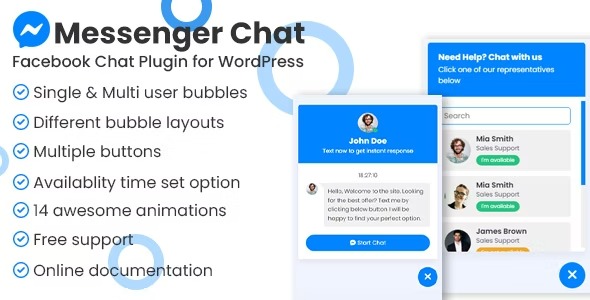
Messenger Chat Support lets visitors message you directly in 3 simple clicks, turning inquiries into direct consultations via a floating chat bubble or built-in buttons. As a lightweight WordPress plugin, it boosts engagement and conversions with easy setup, clean design, and seamless integration.
Description
Messenger Chat Support is a lightweight WordPress plugin that lets visitors contact you on Messenger directly from your site. Instead of redirecting users to a separate page or filling long forms, it enables a simple message flow in about 3 clicks. When someone lands on your website and checks your products or services, they can start a direct consultation using a floating chat bubble or built-in buttons.
Designed to be easy to set up and visually clean, this plugin helps you capture intent at the moment it matters. By bringing Messenger messaging into your WordPress experience, it supports faster conversations and smoother visitor journeys across key pages.
Main Features
- Direct Messenger messaging — Lets visitors send a Messenger message from your website.
- Floating chat bubble — Provides quick access to chat while users browse.
- Built-in chat buttons — Adds ready-to-use buttons to guide visitors to consultation messaging.
- 3-click message flow — Streamlines the path from page visit to sending a Messenger message.
- WordPress plugin setup — Configures the chat experience through the WordPress plugin interface.
- Clean, lightweight output — Keeps the chat UI minimal so it fits naturally with your theme.
- Works across product and service pages — Supports messaging when visitors are actively evaluating what you offer.
- Browser-friendly interaction — Uses button and bubble elements that are simple for visitors to use.
Benefits
- Faster lead capture — Converts page interest into direct Messenger conversations.
- Lower friction — Reduces hesitation compared with contact forms and redirects.
- Improved engagement — Encourages visitors to interact while they explore your products or services.
- Higher consultation rate — Helps turn inquiries into real-time discussions with fewer steps.
- Better on-site UX — Keeps assistance accessible through a floating bubble and clear buttons.
Who is it suitable for?
- Service providers offering consultations directly from their site
- Small businesses promoting products and collecting inquiries
- Online stores that want faster questions before checkout
- Freelancers and agencies handling client communication
- Blogs and content sites with lead-generation goals
- Coaches and training websites that rely on quick Messenger outreach