WP Enjoy VisualSite Pro 1.1.1
Description
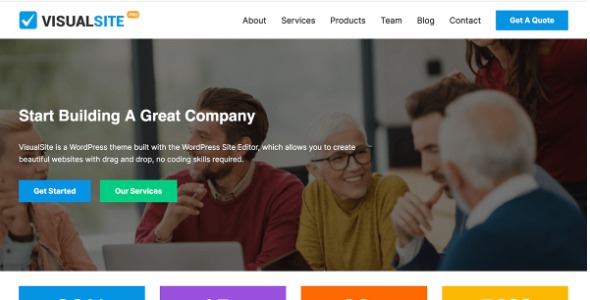
WP Enjoy VisualSite Pro is a WordPress theme designed for building beautiful websites using the WordPress Site Editor. It focuses on drag-and-drop, code-free customization so you can design pages visually without writing or managing code. If you want to move from idea to a published site faster, this theme streamlines the editing workflow inside the WordPress editor. With modern design options and an intuitive approach, it’s a practical choice for teams and creators who want to explore layouts, adjust styling, and keep changes consistent across the site.
Built around the Site Editor experience, WP Enjoy VisualSite Pro helps you create and refine your website with confidence—so you can concentrate on content and structure while the theme supports a smooth, editor-first setup.
Main Features
- WordPress Site Editor compatibility — Designed to work directly with the WordPress Site Editor for an editor-first workflow.
- Drag-and-drop page building — Reorder and arrange elements visually to shape pages without coding.
- Code-free customization — Update layouts and styling through the editor interface instead of custom scripts.
- Block-based editing — Create and adjust content using a structured, block-style approach supported by WordPress.
- Modern design options — Choose contemporary visual styles and refine presentation through editor controls.
- Consistent site styling — Apply design changes in a way that helps keep your website looking cohesive.
- Live visual updates — Preview and adjust your site within the editing experience as you make changes.
- Effortless usability — Simple, practical editing flows for users who want to tweak layouts quickly.
Benefits
- Faster publishing — Rapid, visual edits help you get pages live sooner with less setup friction.
- Lower technical overhead — Code-free customization reduces reliance on developer work for routine changes.
- Better UX for editors — A clean Site Editor experience makes layout adjustments more straightforward.
- More consistent design — Coordinated styling improves visual continuity across pages and sections.
- Improved iteration speed — Quick previews and editor-based updates support faster improvements over time.
Who is it suitable for?
- Small business websites built in WordPress with the Site Editor.
- Content creators who want quick, code-free layout updates.
- Bloggers and publication sites needing consistent styling across pages.
- Agencies preparing multiple website variations efficiently.
- Teams exploring and refining new website designs without developer bottlenecks.