BWD Advanced Post Block 1.3

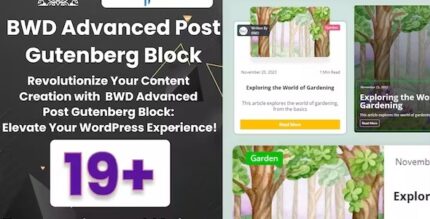
BWD Advanced Post Block makes creating stunning blog layouts in WordPress effortless with Gutenberg. Choose from 20 preset styles for grid, list, and tiles to showcase your posts exactly how you want, boosting engagement and readability.
Description
BWD Advanced Post Block is a WordPress plugin for the Gutenberg editor that helps you create polished blog post layouts without complex design work. It lets you present your content in clear grid, list, and tile formats directly while editing pages or posts.
With 20 built-in preset styles, you can quickly choose a structure that fits your theme and writing style. This solves the common problem of manually styling post excerpts, spacing, and layout variations every time you change your blog design.
Whether you’re building a content hub or refreshing an archive section, this Gutenberg plugin streamlines how your WordPress blog blocks look, helping readers scan and engage with your posts more easily.
Main Features
- Gutenberg post block — Use a dedicated block inside the WordPress Block Editor to display posts.
- 20 preset styles — Pick from ready-to-use styles to set up different post layout aesthetics.
- Grid layouts — Showcase multiple posts in a structured grid for fast visual browsing.
- List layouts — Present posts in a tidy list format that supports straightforward reading.
- Tile layouts — Use tile-style presentation to emphasize posts as distinct cards.
- Consistent post presentation — Keep titles, excerpts, and layout spacing aligned across your blog sections.
- Editor-first workflow — Design your post section directly in Gutenberg for a smoother editing experience.
- Works with WordPress themes — Fits typical blog styling needs across common WordPress theme setups.
Benefits
- Better readability — Clear grid/list/tile formats help readers find what they need faster.
- Higher engagement — Structured post layouts encourage users to click through and explore more posts.
- Faster page building — Preset styles reduce the time spent on manual layout adjustments.
- Improved UX consistency — Standardized post blocks create a more cohesive blog experience.
- Content-focused design — You can highlight your posts clearly without relying on custom coding.
Who is it suitable for?
- WordPress blog owners who want attractive post archives
- WooCommerce store blogs that publish guides, updates, or resources
- Content creators curating multiple article categories
- Digital agencies building Gutenberg-based layouts for clients
- Teams maintaining frequently updated editorial pages
- Site owners refreshing template kit layouts across landing and post pages