WooCommerce Designer Pro 1.9.24
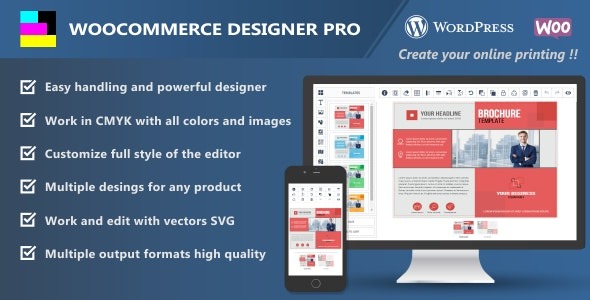
WooCommerce Designer Pro streamlines color workflows for WordPress by enabling one-click CMYK or RGB workspace selection and automatic CMYK conversion for uploaded images, including SVG vectors. The main benefit is consistent, print-ready colors with smooth SVG support and easy integration into your store design. A lightweight, designer-friendly tool that invites you to explore more.
Description
WooCommerce Designer Pro is a WordPress plugin built to simplify color workflows for WooCommerce stores and product catalogs. It helps you maintain consistent, print-ready colors by letting you switch between CMYK and RGB workspaces in a single click.
When you upload images, the plugin can automatically convert them to CMYK, reducing manual steps and minimizing mismatches between design files and product imagery. It also supports SVG vectors, so your scalable graphics keep their intended look in print-oriented workflows.
Main Features
- One-click CMYK/RGB workspace selection — Quickly choose the workspace that matches your current design and export needs.
- Automatic CMYK conversion on upload — Convert uploaded images to CMYK without requiring repetitive manual processing.
- SVG vector support — Includes SVG handling so vector artwork can be converted as part of the workflow.
- Consistent output for print workflows — Helps keep colors aligned with print expectations across your storefront imagery.
- Streamlined image preparation — Reduces time spent preparing and reworking color settings before publishing.
- Designed for WordPress editors — A lightweight tool that fits naturally into a WordPress content workflow.
Benefits
- More predictable colors — Better alignment between on-site visuals and CMYK/print results.
- Less manual effort — Automatic conversions reduce repetitive work during image updates.
- Improved image consistency — Keeps product and campaign visuals on the same color workflow.
- Better workflow for vector art — SVG support helps preserve scalable graphics in CMYK conversions.
- Faster publishing cycles — Move from design to WooCommerce listings with fewer intermediate steps.
Who is it suitable for?
- WooCommerce store owners preparing print-focused product images.
- Graphic designers working in CMYK and updating assets for the web.
- Creative agencies managing multiple WooCommerce clients and brand workflows.
- Ecommerce teams publishing frequent campaigns with consistent visual standards.
- Content creators using vector graphics (SVG) alongside WooCommerce listings.