
Crawler 1.0.9 – Ticker Plugin for Elementor
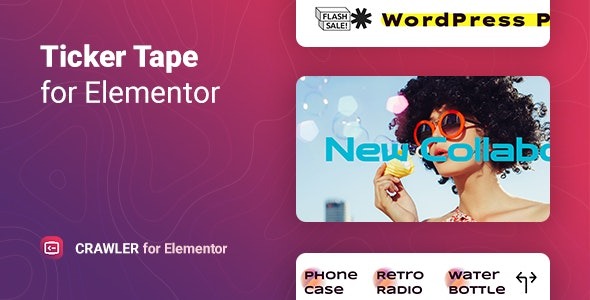
Crawler is a lightweight WordPress plugin for Elementor that adds unlimited news tickers and sliders to keep visitors informed and boost conversions. It pulls content from posts, pages, products, or custom content with smart filters, and lets you control speed, direction, icons, and slider navigation for a polished, engaging display.
Description
Crawler is a lightweight WordPress plugin designed for Elementor that helps you add unlimited news tickers and sliders to your website. It solves the problem of keeping visitors informed in a compact, engaging layout—without manually updating scrolling sections.
Using Crawler, you can pull content from WordPress posts, pages, landing pages, products, or custom selections, then refine what displays with smart filters. The result is a polished ticker/slider area you can control for movement and style.
With settings for ticker speed and direction, plus configurable labels and icons, Crawler supports an attractive, conversion-friendly presentation inside Elementor templates and pages.
Main Features
- Unlimited tickers and sliders — Add continuous scrolling displays without limiting the amount of items.
- Elementor widget for WordPress — Create ticker and slider sections directly in the Elementor editor.
- Multiple content sources — Display content from posts, pages, landing pages, products, manually selected items, mixed types, or custom content.
- Smart content filters — Choose exactly which content should appear in the ticker or slider.
- Ticker speed control — Adjust how fast items move for better readability.
- Direction settings — Choose the scrolling direction to match your layout and design.
- Icon-based labels — Add a label with an icon from the library or use an uploaded SVG.
- Slider navigation options — Configure navigation behavior and animation to suit the user experience.
Benefits
- More visible updates — Keeps announcements, offers, and relevant content in view for returning visitors.
- Better user experience — Compact tickers and controlled motion improve scanning and clarity.
- Higher conversions — Promotes products, services, or deals in a format designed to capture attention.
- More targeted messaging — Filters help ensure the right posts, pages, or products appear in the display.
- Flexible design consistency — Icon labels and navigation settings help match your theme and Elementor layouts.
Who is it suitable for?
- WooCommerce stores showcasing products and promotions in a scrolling area.
- News and magazine sites that want continuous updates without manual edits.
- Landing page builders using Elementor templates for campaign-style sections.
- Agencies creating client websites that need reusable ticker/slider components.
- Content teams that curate mixed feeds from posts, pages, and custom content.
- Small business websites highlighting services, offers, and announcements.
