WP File Download Cloud Addon 4.8.10

Description
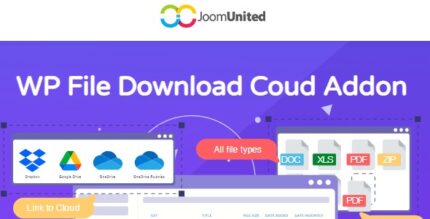
WP File Download Cloud Addon connects Google Drive, Dropbox, and OneDrive to your WordPress files so you can store and serve documents directly from cloud storage. It helps solve the problem of managing file assets across multiple sites by centralizing the media source in one place. Instead of relying only on local hosting storage, the addon enables cloud-based delivery that keeps your documents organized and up to date. Designed for use with WordPress and the WP File Download setup, it streamlines workflow when you work with shared content, templates, or site networks.
With connectors available in a single addon, you can choose the cloud provider that fits your process while keeping access consistent across WordPress installations. This is especially useful for agencies and teams that build and maintain many WordPress sites and need an easy way to keep file links aligned.
Main Features
- Google Drive connector — Connect cloud-stored files from your Google Drive account to WordPress delivery.
- Dropbox connector — Use Dropbox as a centralized source for downloadable documents on your site.
- OneDrive connector — Serve files stored in Microsoft OneDrive through your WordPress file download workflow.
- All-in-one cloud addon — Manage multiple storage providers through a single addon instead of separate integrations.
- Cloud-based file serving — Deliver documents from the cloud, reducing dependence on local storage.
- Centralized cloud management — Keep your document source organized by using a cloud provider as the single reference.
- Unlimited WordPress installs — Use the addon across unlimited WordPress website installations.
- Seamless WordPress integration — Works as an addon inside your WordPress plugin setup for file downloads.
Benefits
- Smarter asset storage — Store and manage documents in the cloud rather than on server disk.
- Better consistency — Help keep file availability aligned across WordPress sites that share the same cloud source.
- More flexibility — Switch between Google Drive, Dropbox, and OneDrive based on team or workflow preferences.
- Streamlined operations — Centralize updates to documents in one place, reducing repetitive local file handling.
- Improved user experience — Support reliable access to downloads through established cloud storage.
Who is it suitable for?
- Multi-site WooCommerce stores and WordPress networks that distribute product or policy documents.
- Web agencies managing multiple WordPress client websites.
- Content teams that regularly update downloadable assets (guides, PDFs, manuals) across sites.
- Online schools and training sites hosting course materials and handouts.
- Bloggers or publishers who want cloud-backed downloads without managing local files.
- SaaS and B2B teams sharing documentation across different WordPress installations.