WordPress WooCommerce Badge Manager Plugin 2.4.9
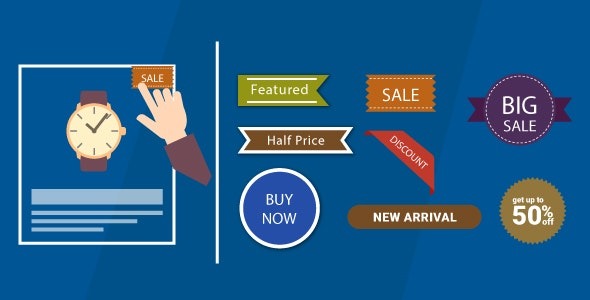
Boost conversions with the WordPress WooCommerce Badge Manager Plugin, a tool to create and manage product badges across shop pages, categories, and bulk actions. It lets you set badge text, color, margins, and rotate badge images, giving precise, eye-catching highlights that drive clicks and sales. Type: WooCommerce.
Description
The WordPress WooCommerce Badge Manager Plugin helps you create and manage product badges for your WooCommerce store, so shoppers can quickly spot what matters most. By adding badges across shop pages and category views, you can highlight promotions, featured items, or key product attributes in a consistent way.
In the WordPress admin, you can assign badges to single products, multiple products, and category-wise listings, then fine-tune the badge appearance. With controls for badge text, color, margins, and rotating badge images, you get precise visual emphasis without changing your product content.
Main Features
- Shop and category badge placement — Display badges on WooCommerce shop pages and within category-based product listings.
- Single product badge assignment — Add a badge to individual products from the WordPress admin.
- Multiple product support — Apply badges to several products without handling them one by one.
- Bulk actions for efficiency — Manage badge settings for product lists faster during store updates.
- Badge text customization — Define the label text shown on each badge.
- Color controls — Choose badge colors to match your store’s styling and product themes.
- Margin adjustment — Set badge margins to control spacing and alignment in the product grid.
- Rotate badge images — Rotate badge images to achieve the look you want on the storefront.
Benefits
- Higher click-throughs — Clear visual highlights help shoppers notice important products and click faster.
- Better on-page clarity — Consistent badges improve UX by communicating key details at a glance.
- More conversion opportunities — Emphasizing promos or featured items can support higher conversions from shop listings.
- Improved visual consistency — Text, color, margin, and rotation controls help maintain a polished catalog layout.
- Faster catalog updates — Bulk and multi-product management reduce time spent applying badge changes.
Who is it suitable for?
- WooCommerce store owners managing featured or promotional items.
- Catalog-heavy shops that need badges across multiple categories.
- Marketing teams or eCommerce managers updating product highlights regularly.
- WordPress site builders who style storefront grids with consistent badge visuals.
- Agencies running multiple WooCommerce client catalogs.