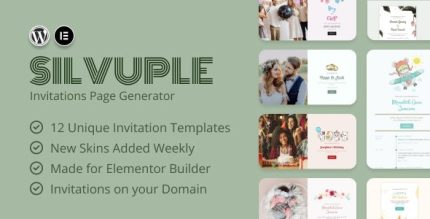
Silvuple 1.0.1 – Online Invitations Maker (Addon For Elementor)

Silvuple Elementor Addon is a WordPress invitations and RSVP builder that streamlines event planning with limitless customization and exquisite designs. Create beautiful invites and manage RSVPs right in Elementor for effortless deployment and clear guest communication, saving time and ensuring unforgettable occasions.
Description
Silvuple Elementor Addon is a WordPress plugin designed to build invitations and manage RSVPs directly inside Elementor. It helps you plan events faster by turning your event details into polished invite layouts without switching between different tools. With Elementor widgets and templates, you can customize designs to match your theme, typography, and layout preferences. The plugin also supports streamlined RSVP collection, making it easier to coordinate attendance and keep guest communication clear.
Whether you’re creating a single-page announcement or a full event landing page, Silvuple helps reduce manual setup and keeps your workflow in the same visual builder you already use.
Main Features
- Invitation builder — Create event invitation pages using Elementor components.
- RSVP form creation — Add RSVP fields to collect attendance details within your layout.
- Elementor integration — Build and edit invitations and RSVP sections in the Elementor editor.
- Design customization — Adjust styling and presentation for invites that fit your brand or event theme.
- Ready-to-use layouts — Start with attractive invitation designs and refine them as needed.
- RSVP management — Review and organize RSVP responses collected from your pages.
- Effortless deployment — Publish invitations and RSVP pages through your WordPress workflow.
- Clear guest communication — Present RSVP prompts and event information in a consistent, visitor-friendly way.
Benefits
- More efficient planning — Combine invite design and RSVP setup in one Elementor workflow.
- Better user experience — Provide a clean, easy-to-complete RSVP experience embedded in your page.
- Higher response rates — Use well-structured invites and RSVP prompts to encourage confirmations.
- Improved organization — Keep RSVP responses in one place for quicker follow-up.
- Consistent branding — Customize invitation visuals so guests see a unified look across your site.
Who is it suitable for?
- Wedding and private event planners building invitation landing pages in WordPress.
- WooCommerce store owners promoting in-store events or product launches.
- Agencies and freelancers using Elementor for client websites and event campaigns.
- Event-focused blogs and publishers that collect RSVPs for conferences or meetups.
- Community organizations and online schools organizing workshops or sessions.
- Small businesses hosting webinars, parties, or local gatherings.